
Multi-Core and Shielded Cables
EZ Wire now supports cable types: reusable definitions of a multi-core or shielded cable that you can add to any harness.
Build the cable once
A cable type is defined in the Parts Library, next to your wire types. Give it a part number, then add one conductor per core. Each conductor picks a wire type from your existing library, so the gauge, colours and specification you already maintain carry through. If a conductor needs a wire type not in the library yet, you can add it without leaving the cable form.
Conductors can be grouped into twisted pairs or larger twist groups. Shielded cables get a shield, and you can define the jacket colour and the outer diameter in millimetres or inches. Build the cable once and it's available to every harness on your account.
Add it to a harness
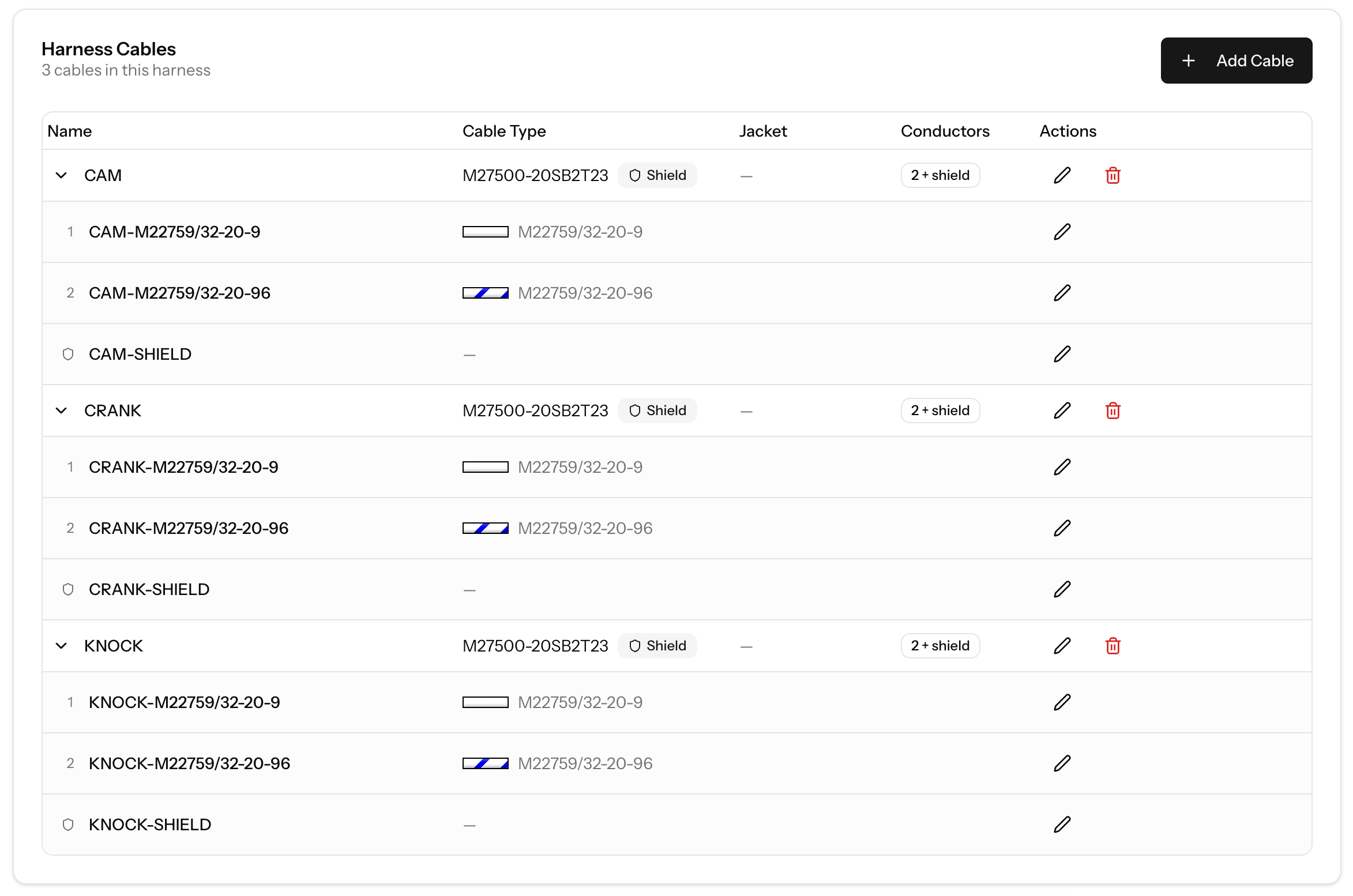
Every harness now has a Cables tab. Pick a cable type from your library, name the cable, and EZ Wire creates a conductor for each core, plus a shield conductor when the cable type has one. Conductor names are generated for you, either from the conductor's wire type part number (for example CAM-M22759/32-20-9) or as sequential numbering (CAM-1, CAM-2). You can also define a custom name for each conductor.
Conductor names are unique across the whole harness, so idents, cut lists and print-outs never point at two different wires with the same name.
Connecting conductors and shields
Once a cable is in the harness, its conductors show up in the wire type selector when you build a connection, marked with a Cable badge. Each conductor can only be used once. As soon as it's connected it drops out of the list, so you can't connect the same conductor twice.
When you connect a cavity, the cable's shield appears as a destination alongside the other cavities. That's how you document a shield drain going to a ground stud or a connector pin. More than one cavity can land on the same shield.
Cut list and bill of materials
Cables get their own section on the cut list. Each cable's cut length is the longest conductor run inside it, so you cut the cable once at the right length instead of reconciling several individual wire rows. Conductors are listed under their cable rather than duplicated as separate wires.
Cables also appear as line items on the bill of materials and in its CSV export, alongside your connectors, terminals and wire.
A shared library
The cable type library works the same way as the connector and device libraries. There's a system library of common cables you can use straight away, and anything you build yourself stays private to your account.
You can submit your own cable types to the system library for review from the cable type form, and carry on using them in your harnesses while they're being reviewed. On the SHOP plan you can favourite cable types, and they sort to the top when you add a cable to a harness.
Getting started
Open the Parts Library and click Cable Types to browse the system library or create your own. Then open any harness, go to the Cables tab, and add your first cable. The Cable Types guide walks through the whole workflow.
Try cables in your next harness
Cable types are available on all plans. Favouriting cable types is included on the SHOP plan and above.